
Your best plays,
edited on your phone.
Akka is a fast, touch-first video editor. Cut highlights, add glowing titles, drop in green screen effects and export up to 4K — with no watermark, ever.
Built for thumbs, not a desk.
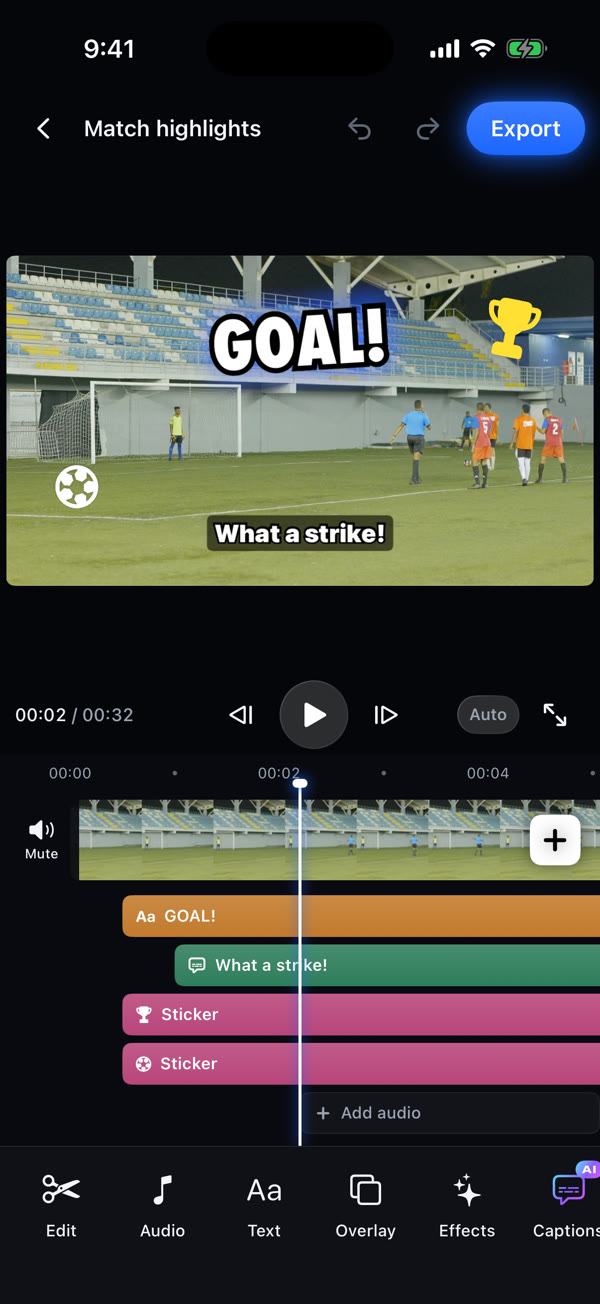
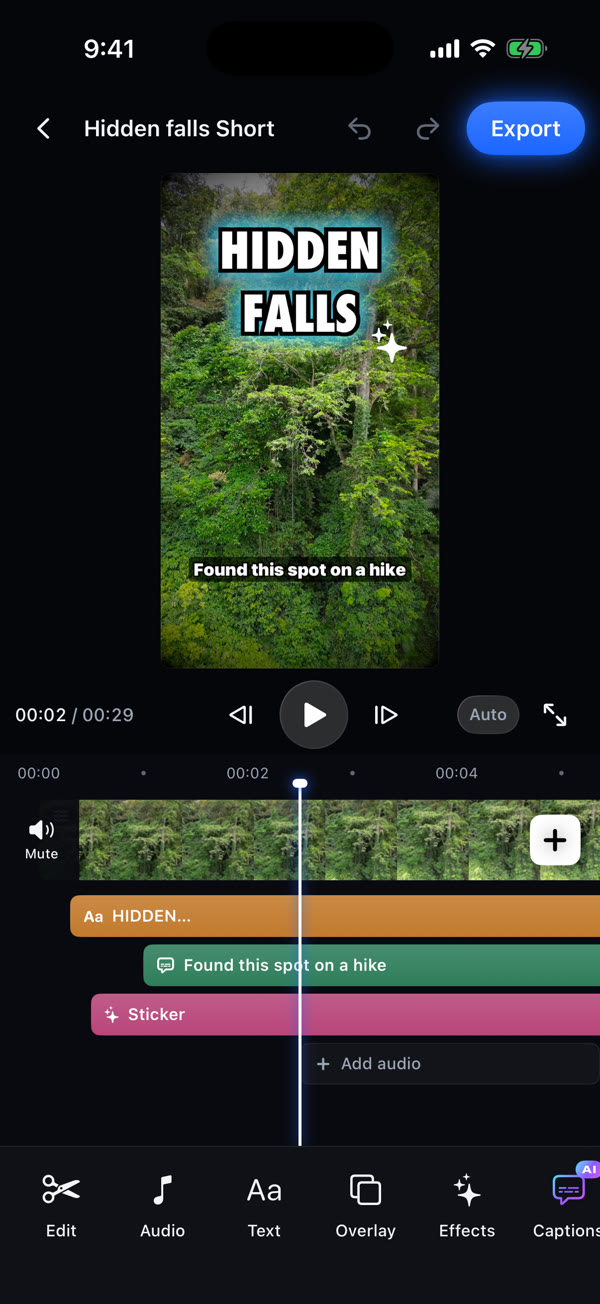
A big preview up top, a timeline you can pinch and swipe, and a toolbar that changes with whatever you tap.
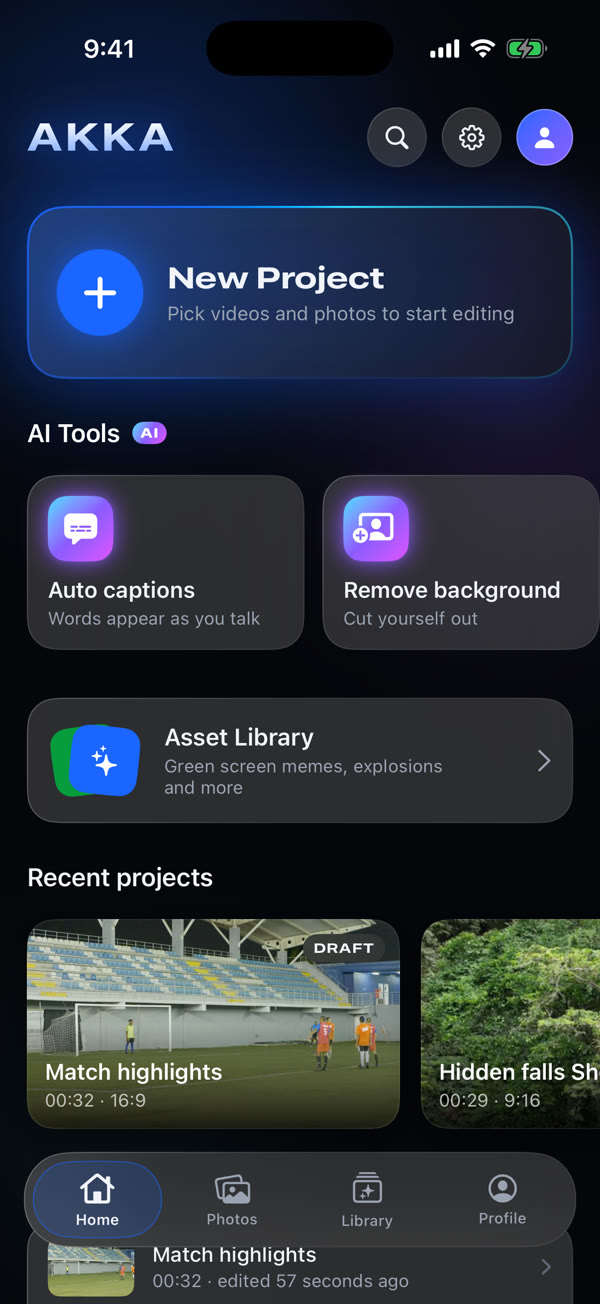
Everything you need to make it pop.
The tools you reach for most, tuned for a phone screen.
Trim, split, speed
Drag handles to trim, split at the playhead, slow down the big moment or speed up the build-up.
Titles that glow
Bold fonts, outlines, glow and animations. Drag, pinch and twist text right on the video.
Auto captions AI
Akka listens to your video and writes captions that pop in as you talk.
Remove background AI
Cut yourself out of any clip and put yourself on top of your footage.
Green screen library
Search a library of effects and memes, then overlay them — the green disappears automatically.
Filters, effects, transitions
Color filters and adjustments, shake, zoom, glow and VHS effects, and smooth cuts between clips.
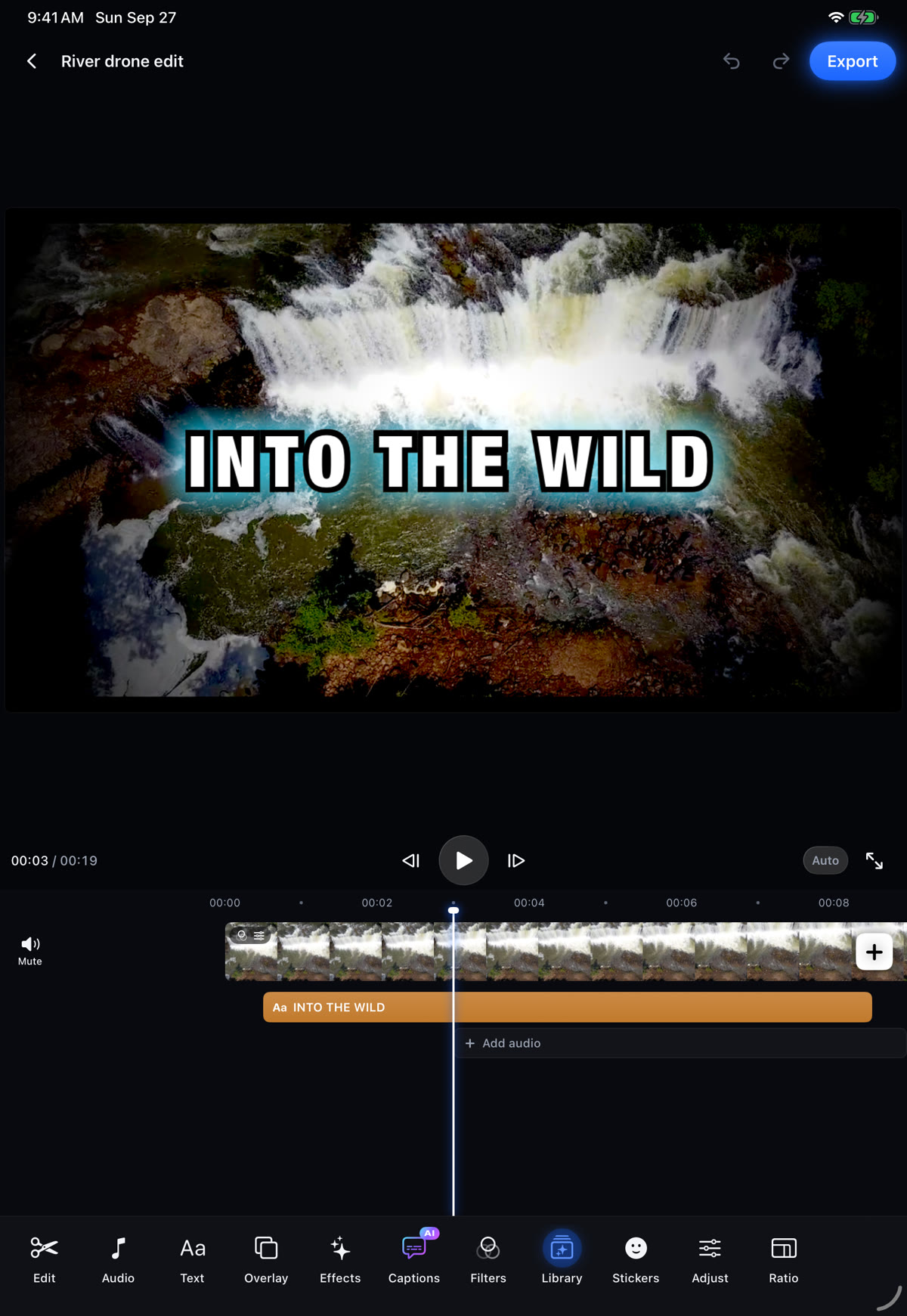
Room to breathe on iPad.
The same editor, with a bigger preview and every tool in view.
- Export 720p to 4K, 24 to 60 frames per second
- No watermark — your video is yours
- Uses your Photos library directly, so clips aren't copied and don't eat extra storage
- Smooth previews on older phones; your export is always full quality
- YouTube 16:9, Shorts 9:16, square and 4:5
From the pitch to the trail.
Match highlights, travel days, drone shots — cut it fast, make it look great, post it straight to YouTube.
Try Akka early
Akka is in beta on TestFlight for iPhone and iPad. Open the link on your iPhone or iPad, install TestFlight if you don't have it, then tap Accept.
Join the TestFlight betaFree during the beta · Requires iOS 17 or later